A desk full of terminals
N TABS
- Which agent is waiting? Scroll to find out.
- Permission prompts buried under other work
- Every prompt typed, every reply read
- You are tethered to the screen
- Nothing you can take apart or rebuild
Fast agents. Slow you.
OPEN HARDWARE · OPEN FIRMWARE · OPEN HOST
▮ PRESS START
The open-source handheld radio for your AI agents.
A palm-sized deck with a touch screen, a scroll wheel and a push-to-talk key. It shows which agent needs you, and your voice goes to the one that does.
macOS 13+ · Apple Silicon + Intel · open firmware
Hardware open. Firmware open. Host open. Hold, talk, release. Who needs you, at a glance. A blueprint anyone can replicate.
CHAPTER I
Three agents running, one of them stuck on a question, and you are scrolling terminals to find out which. The deck is the radio that tells you.
N TABS
Fast agents. Slow you.
1 DECK
A blueprint anyone can replicate.
CHAPTER II
The screen is the status board. PTT is the radio. The buttons are the decisions. Read the conversation, see who needs you, and respond from the deck.
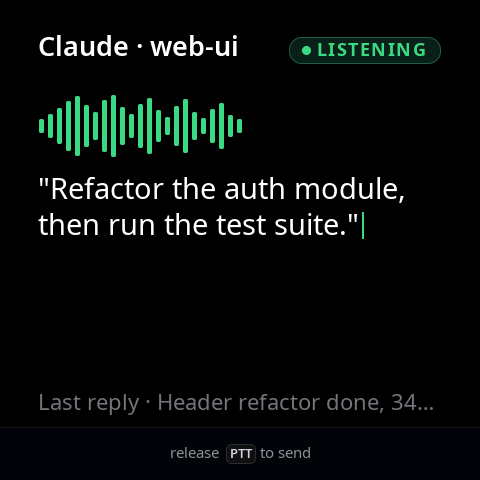
Hold the key from any face and the screen becomes a LISTENING overlay. Release it and the transcript stays visible while recognition finishes. The deck's microphone streams to your Mac, the words land in the active agent as its next prompt, and the reply can be spoken back through the deck's speaker.
At rest. Hold the key to open a session.
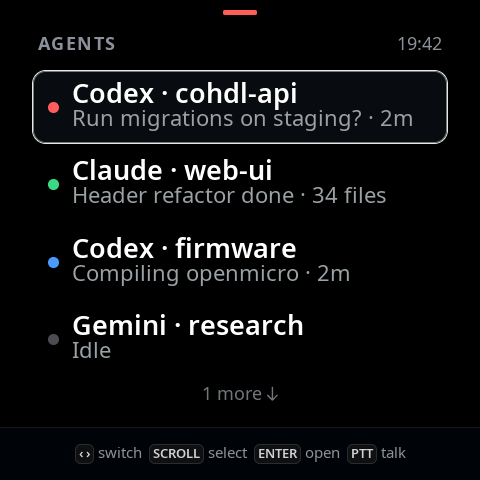
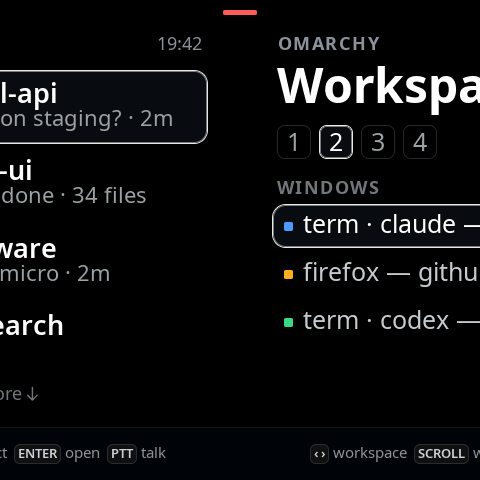
Every agent is a channel. A red dot is a question, green is ready, blue is working. Questions sort to the top, so the row you see first is the one that needs you.
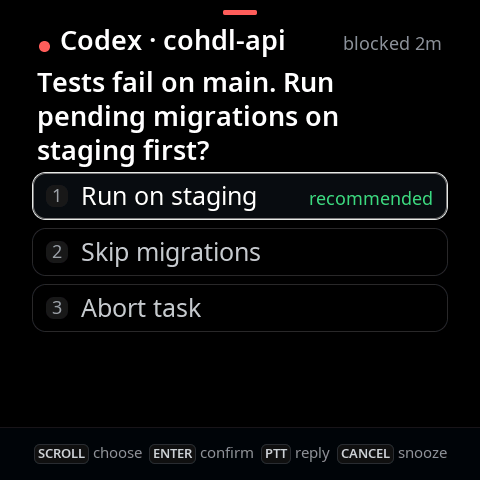
A permission request or a multiple-choice question becomes a card. Scroll to a choice and press ENTER, tap it, or answer by voice. Only a person can approve a Claude Code or Codex permission card.
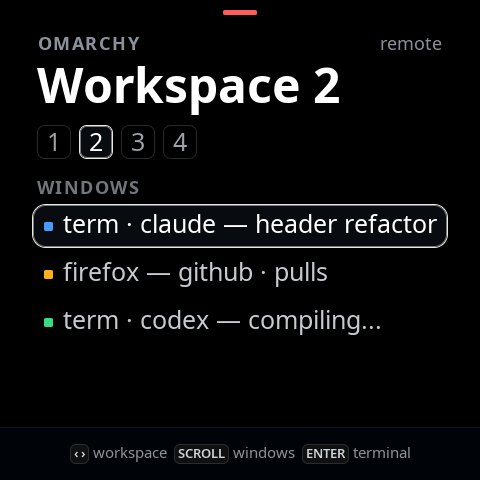
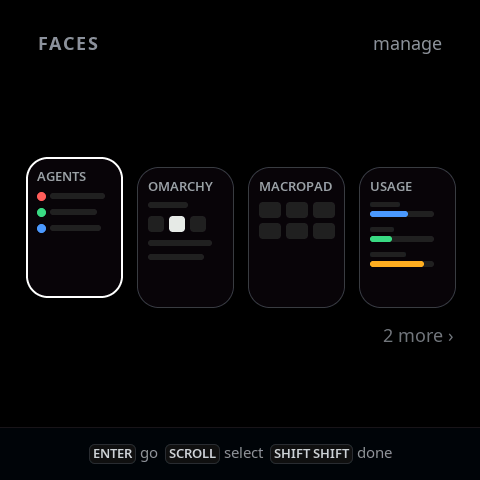
One detent, one row. Hold SHIFT and the same wheel slides between faces: Agents, Omarchy, Macropad, Usage, Settings. Double-tap SHIFT to reorder them.
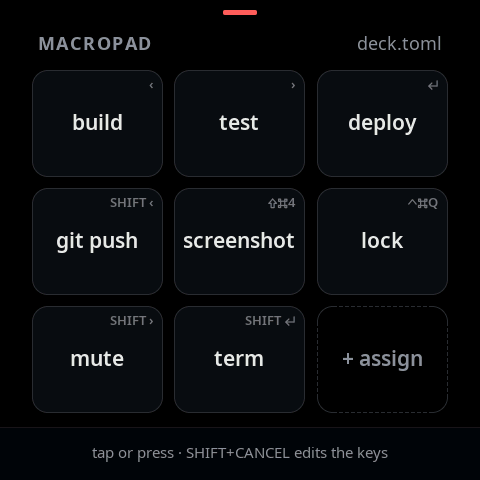
Nine keys on the touch screen, each with a label and a keystroke. The host posts the chord to your desktop. Edit a key on the deck itself and dictate its label with PTT.
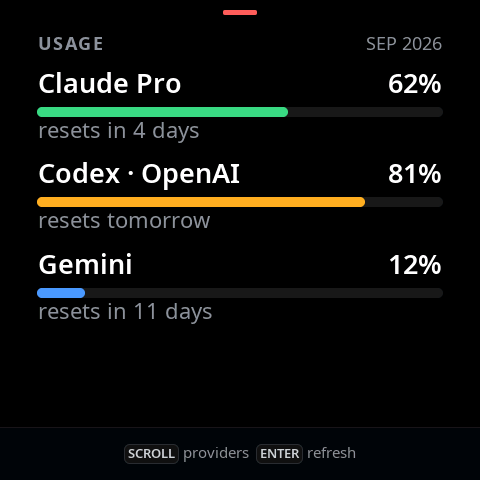
Your Claude and Codex rate-limit windows as bars, with the active account and countdown to each reset. The host reads them with the logins you already have, nothing else.
Plug in over USB-C and the host writes a report in under a millisecond. Unplug and the same link, voice included, rides Bluetooth LE. The host takes the cable whenever it is there.
CHAPTER III
The deck's grammar, in miniature. Drag or scroll the wheel, press the keys, or use your keyboard: ↑ ↓ scroll, ↵ enter, esc cancel, ← → channels, hold shift to change faces, hold space to talk.
Question · 2m
▮
release PTT to send
touch screen · scroll wheel · PTT · ENTER · ESC · SHIFT · two front keys
CHAPTER IV
The host service, deckd, runs on your Mac and owns the link. Agents reach the deck through hooks or through an open API on a local socket.
AGENTS
AND THE REST OF YOUR DESK
Speech recognition runs on your Mac. Your transcript goes to the agent you choose.
CHAPTER V
Rendered by the firmware itself, pixel for pixel, from the same code that drives the panel. Tap the stack, swipe it, or use the arrows.


tools/preview-all.py, the firmware drawing on the hostCHAPTER VI
Not a product you wait for — a repository you clone. The board, the firmware, the host service and the wire protocol, all in one tree.
Software under MIT. The board, the case and every design file under the permissive CERN Open Hardware Licence. Build it, modify it, sell it, no permission required.
The hardware design started in CoHDL. The Rev A schematics are source code in the open-source hardware language at cohdl.org, checked by its compiler; Rev B is hand-placed and routed in KiCad from that lineage.
The Mac app includes deckd, automatic app updates, and firmware updates for Rev A and Rev B. The source includes the tools for an initial USB-C or UART flash.
CHAPTER VII
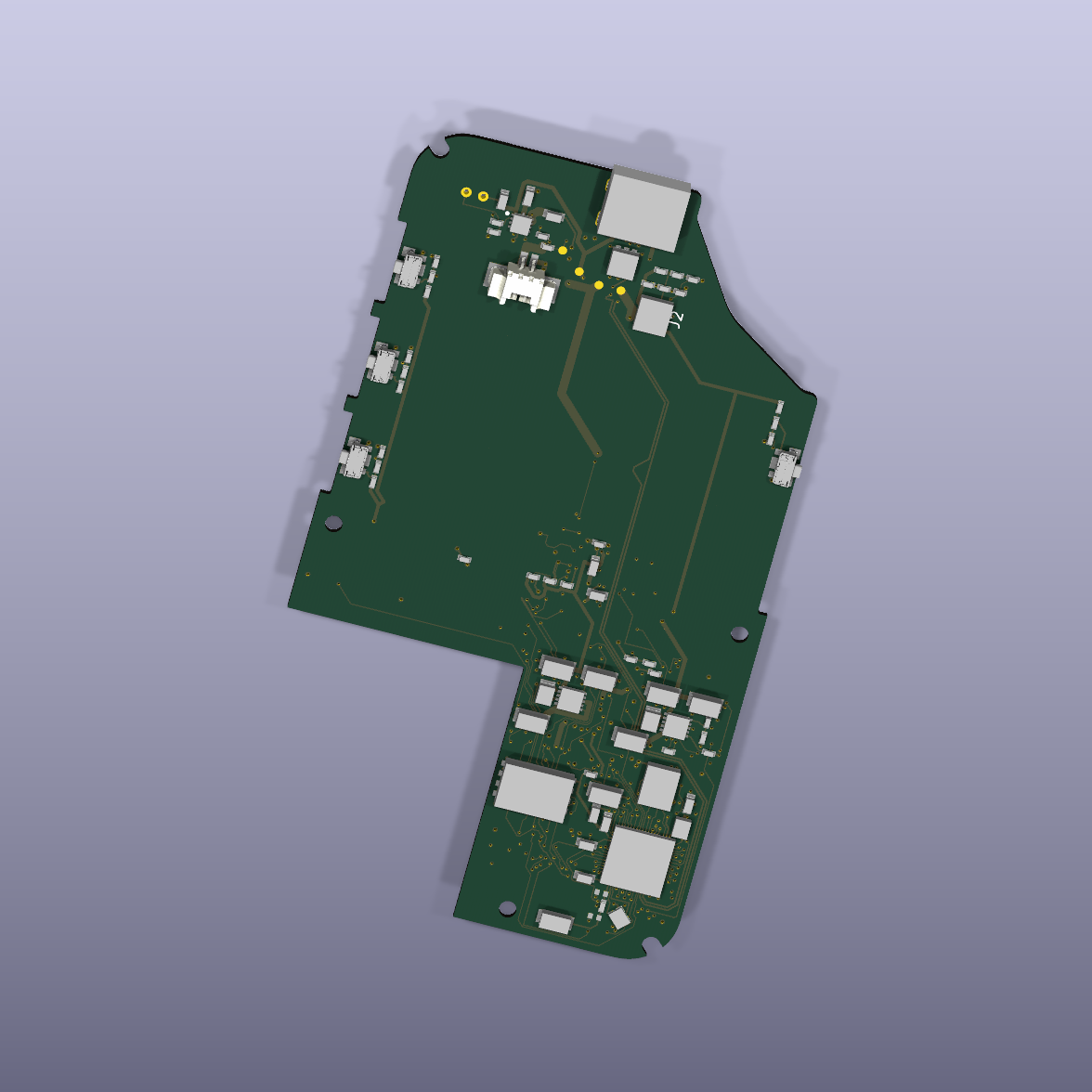
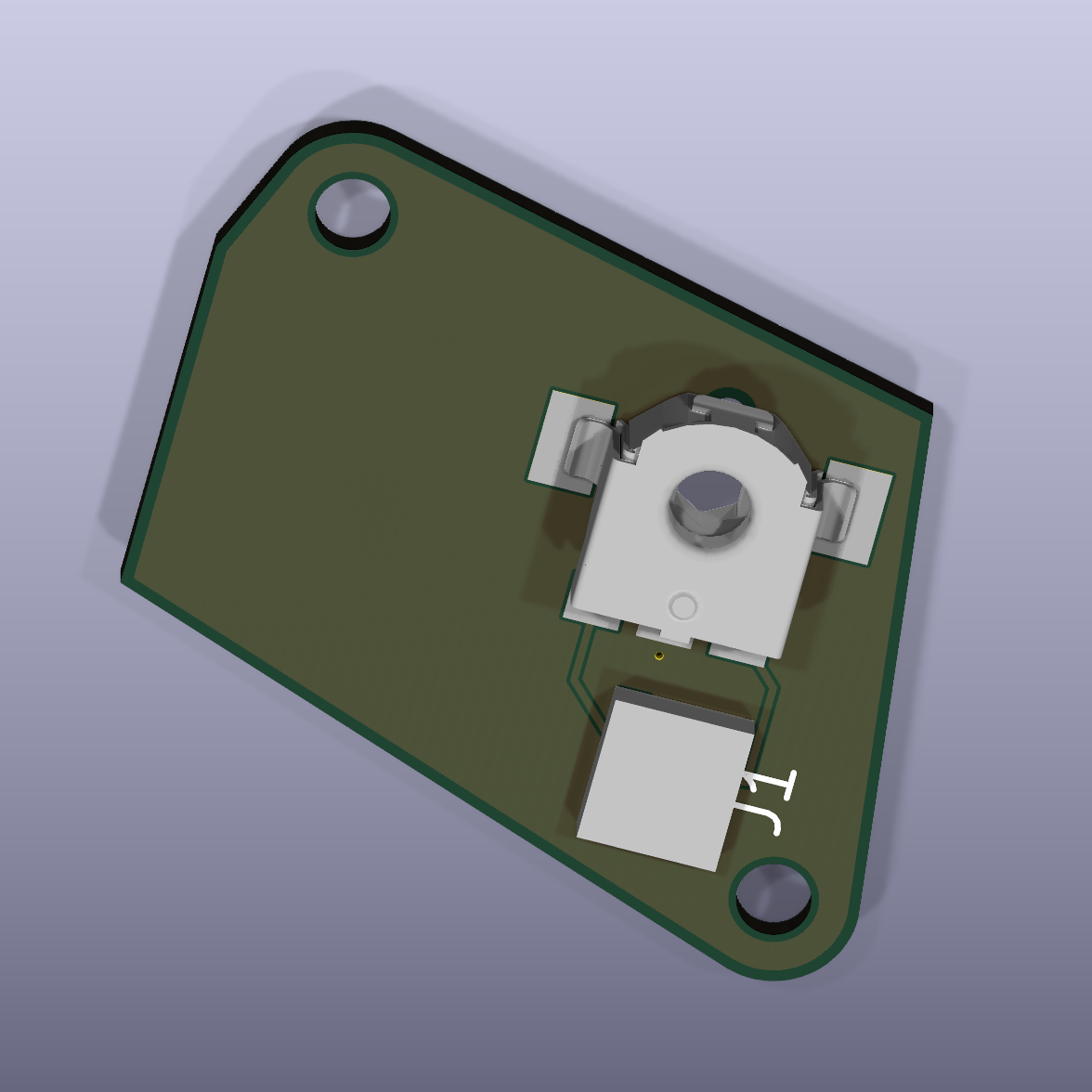
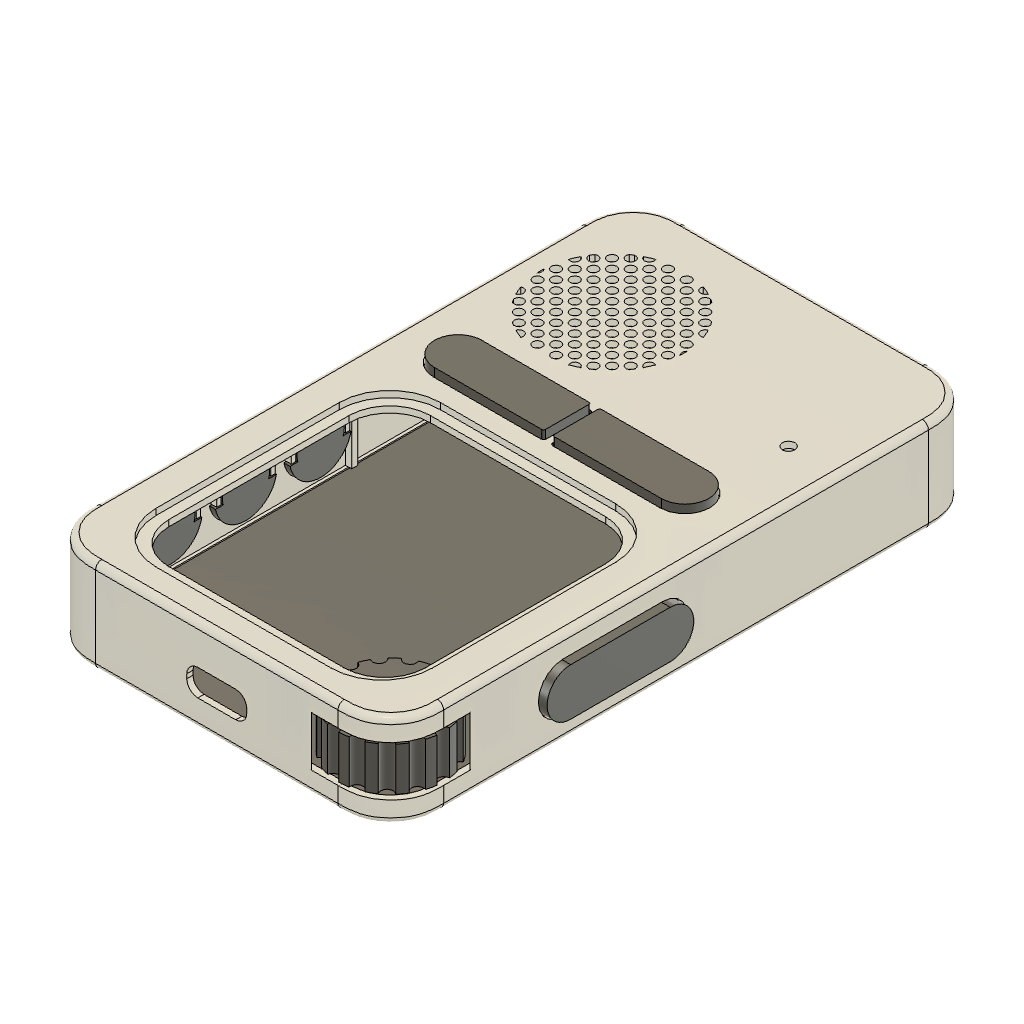
From the board to the enclosure, the editable designs are in the repository. These are renders from the Rev A hardware sources.


READY TO TALK
The first official release is being finalized for macOS 13 and later. Downloads will be available here shortly.
The app will be available for Apple Silicon and Intel Macs. You can explore the source and try the interactive deck while the release is prepared.
The app includes automatic updates and board-aware USB firmware updates for Rev A and Rev B. Initial flashing requires a compatible bootloader. Explore the source →